

Payment Automation for Small Business: A Practical Guide
Learn how payment automation helps your small business save time, protect cash flow, and pay vendors on time.


- Key takeaways
- What is payment automation?
- How does payment automation work?
- What are the benefits of payment automation for small businesses?
- Which payments can you automate?
- How to set up payment automation
- How to choose payment automation software
- Simplify small business payments with Melio
- Payment automation FAQs
Key takeaways
-
Payment automation replaces manual bill pay and paper checks with digital workflows that run on a schedule.
-
It saves time, cuts errors, and gives you clearer control over cash flow.
-
You can automate vendor bills, recurring payments, and approvals using ACH or cards.
-
The right software syncs with your accounting tools and fits how your team already works.
What is payment automation?
Payment automation is a way to pay your bills using software instead of manual work. It handles the steps you used to do by hand, like entering invoice details and scheduling payments.
For a small business, this means fewer paper checks and less time spent on repetitive tasks. Your team can set the rules once and let the system do the rest.
Payment automation for small business often covers your whole accounts payable (AP) process. It connects your invoices, your approvals, and your payment methods in one place.
How does payment automation work?
Automated payments follow a clear path from invoice to payment. The software takes over the manual steps so your team can focus on other work.
Here’s how a typical automated payment system for small business works:
-
A vendor sends you a bill, and the software captures the invoice details for you.
-
The bill goes through your approval workflow, so the right people sign off before any money moves.
-
You pick a payment method, like an automated clearing house (ACH) transfer or a card.
-
The system schedules and sends the payment on the date you choose.
The best part is the connection to your books. Good invoice automation syncs each payment with your accounting software, so your records stay accurate without extra effort.
What are the benefits of payment automation for small businesses?
Automating payments does more than save a few minutes. It gives you better control over your money and your time. Many of these gains come from smarter accounts payable habits.
Here are the main benefits of b2b payment automation:
-
You save time by cutting out manual data entry and paper checks.
-
You reduce errors, since the software pulls details straight from the invoice.
-
You improve cash flow management by scheduling payments for the right moment.
-
You strengthen approval workflows, so no bill gets paid without a review.
-
You keep clean records, because each payment syncs with your books.
Better cash flow is often the biggest win. When you control the timing of every payment, you hold onto your money longer while still paying vendors on time.
Which payments can you automate?
Most of the payments your business makes on a regular basis can be automated. If it’s a recurring or predictable expense, it’s a good candidate.
Common payments you can automate include:
-
Vendor and supplier bills, which is where vendor payment automation shines.
-
Recurring costs like rent, utilities, and subscriptions.
-
Invoice processing for one-off purchases and services.
Even payments to vendors who prefer a check can be handled by software. You send the payment digitally, and the system delivers it in the format each vendor wants. To learn how to tidy up this side of your business, see these tips on invoice processing.
How to set up payment automation
Setting up automation is simpler than it sounds. Follow these steps to get your payments running smoothly.
1. Pick your software
Start by choosing a tool that fits your business needs. Look for one that connects to your accounting software and supports the payment methods you use. Make sure it’s easy for your whole team to learn.
2. Connect your accounts
Next, link your bank account and your accounting software to the platform. This connection lets the system pull invoices, send payments, and sync your records. It’s the step that saves you the most manual work later.
3. Add your vendors
Now enter the details for the vendors you pay most often. You’ll add their contact info and preferred payment method once. After that, the software remembers it for every future payment.
4. Set up approval workflows
Then decide who needs to approve payments before they go out. Clear approval workflows protect your business and keep everyone accountable. You can route bills to the right person based on amount or vendor.
5. Schedule and pay
Finally, schedule your payments and let the system handle the rest. You choose the date and method, and the software sends each payment for you. From here on, you just review and approve.
How to choose payment automation software
The right tool makes automation feel effortless. The wrong one adds more steps than it removes. So it helps to know what to look for.
Keep these features in mind when you compare options:
-
Accounting sync, so payments flow straight into tools like QuickBooks and Xero.
-
Flexible payment methods, including ACH transfers and cards.
-
Approval workflows that match how your team already works.
-
Strong security, so your money and data stay protected.
-
Fair, clear pricing with no surprises.
Security deserves extra attention here. You’re moving real money, so choose a platform that takes protection seriously. These secure B2B payments best practices are a helpful place to start.
Finally, think about ease of use. The best accounts payable automation is one your team will actually adopt, so a friendly, simple design matters.
Simplify small business payments with Melio
Melio brings your bill payments and invoicing together in one simple place. You can pay vendors with a fee-free ACH bank transfer, or pay by card even where cards aren’t normally accepted. That flexibility helps you manage cash flow on your own terms.
The platform also syncs with QuickBooks and Xero, so your records update on their own. Built-in approval workflows keep the right people in the loop before any payment goes out. It’s a practical way to automate payments without adding complexity.
Ready to take manual work off your plate? Sign up for Melio and start paying smarter today.
Payment automation FAQs
Below are answers to some frequently asked questions about payment automation for small business.
What is the best payment system for a small business?
The best system is one that syncs with your accounting tools and supports the payment methods you already use. Look for flexible options, clear pricing, and strong security.
Are automated payments secure?
Yes, when you use a trusted platform with proper safeguards. Reputable tools protect your data and let you set approval workflows so every payment gets reviewed.
How much does payment automation cost?
Pricing varies by provider and the features you need. Many tools offer free ACH transfers and charge only for premium services, so compare plans before you commit.
Can small businesses automate vendor payments?
Absolutely. Vendor payment automation is one of the most common uses, letting you schedule recurring bills and pay suppliers on time without manual effort.
This content is for informational purposes only and should not be considered financial, legal, tax, or accounting advice. Melio does not provide professional advisory services. Always consult a qualified professional before making financial or business decisions.

How To Protect Your Small Business Assets During Inflation
Protect your small business from inflation with practical steps to steady cash flow and cut costs.
One Vendor, Multiple Bills? Pay Them All In One Go With Batch Payments!
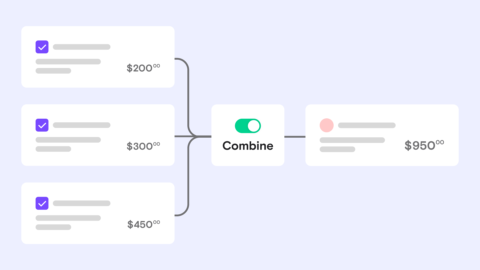
Combine multiple bills to the same vendor into one batch payment, and save time on every pay run.

Outsourced vs In-House Bill Pay: Which Model Fits Your Family Office?
See how outsourced and in-house bill pay compare, so you can pick the right model for your family office.

