

Accounts payable automation software
Automate AP workflows from bill to sync.
Save 15+ hours monthly on average by automating your entire accounts payable process. Capture and categorize bills instantly, confidently approve payments to vendors worldwide, and stay synced with your accounting software.
-

Boost your cash flow by paying by card, even where cards aren’t accepted1.
-
Use our 2-way sync with QuickBooks, Xero, and NetSuite to stay organized.
-
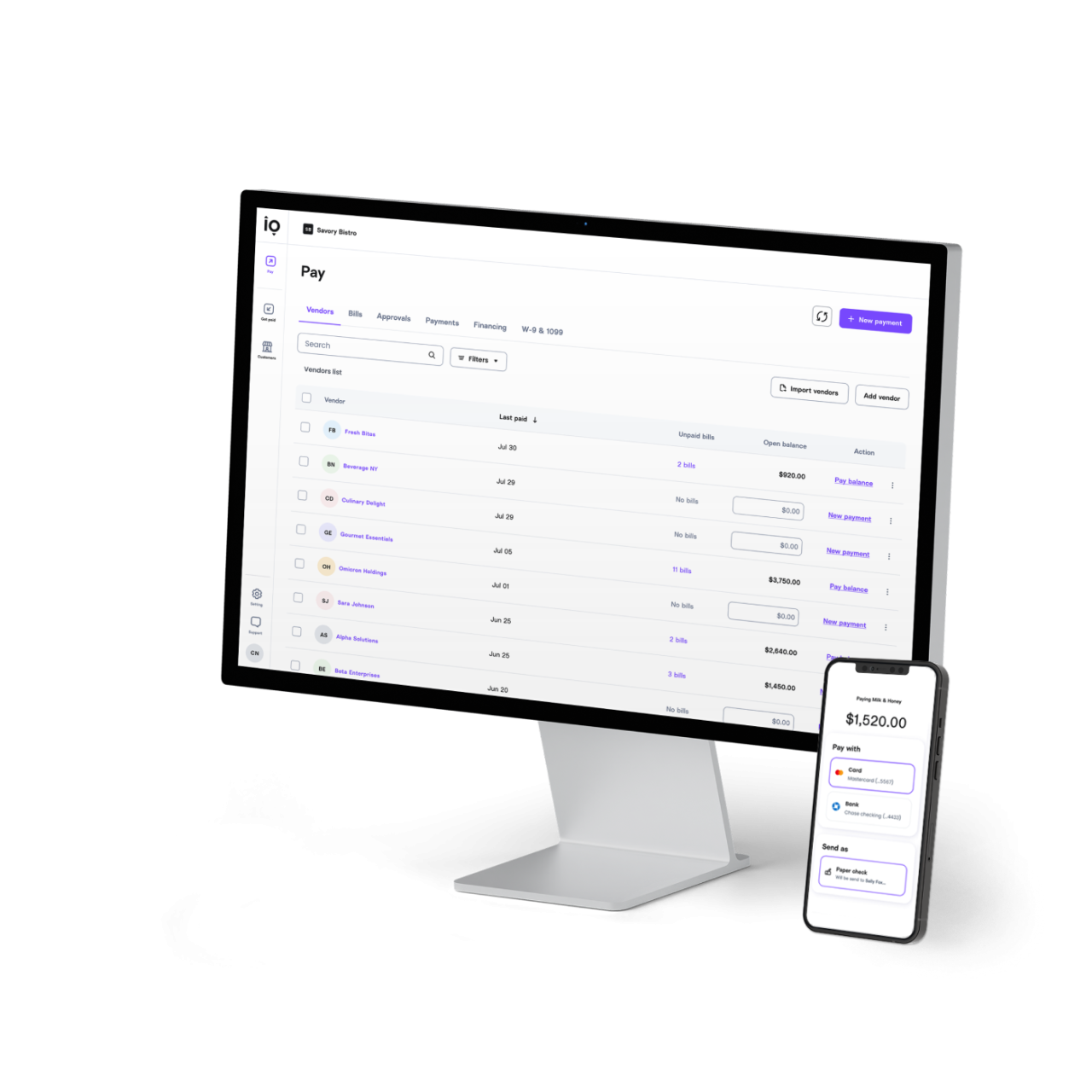
Track and manage all your outgoing payments from one intuitive dashboard.
Thousands of businesses trust Melio to automate AP
Over 40 million bills and $100 billion in payments have run through Melio. We help businesses run smoother, avoid errors, and save over 15 hours of manual work each month.
$100B+
Payments processed
15H+
Hours saved monthly (average)
40M+
Bills paid
2M+
Vendors paid
*Based on internal data, user surveys, and company records.
1
Capture
Auto-fill vendor details, amounts, line items, and due dates with OCR scanning on imported bills.
2
Review
AI helps but you stay in control. Review bills for accuracy and adjust in the moment as needed.

3
Approve
Set roles, permissions, and multi-level approval workflows to keep money moving responsibly.

4
Pay
Use card or ACH-in USD or local currencies-to pay vendors globally. They don’t need to sign up.

5
Sync
Payments sync automatically with Quickbooks2, Xero, or NetSuite with no manual work required.
AP automation that fits your workflow
Make payments stress-free
Pay now or schedule one-time or recurring payments in advance. No need for a last-minute scramble to pay vendors on time.
Pay vendors everywhere
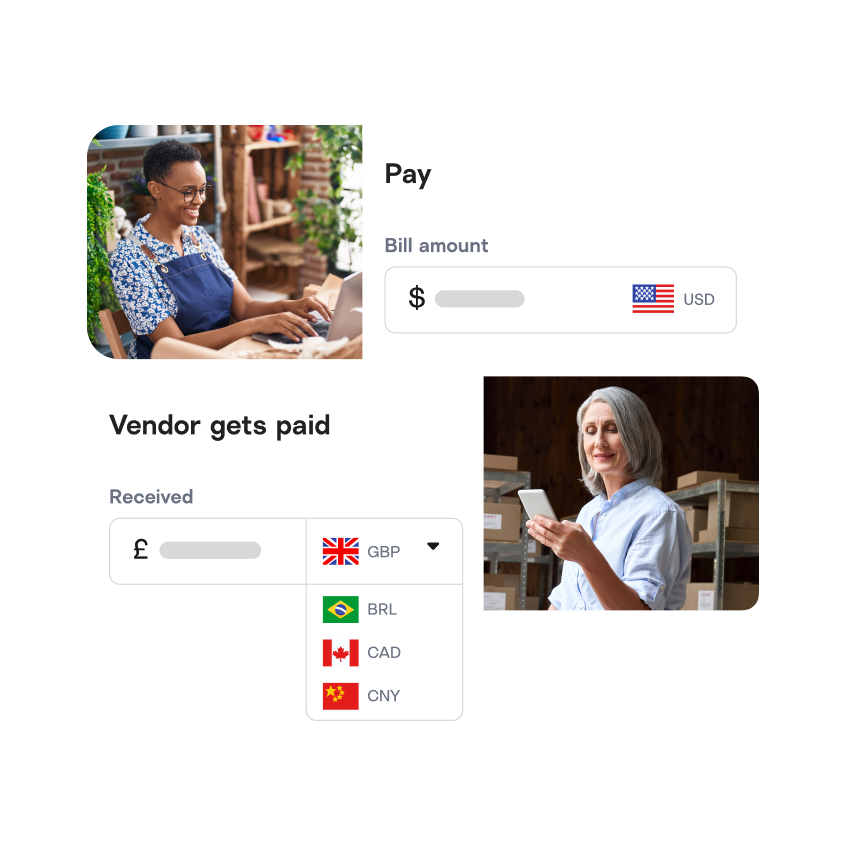
Send domestic and international payments from one place. Pay in USD or local currencies and keep your payments organized and centralized.
Collaborate effectively
Set up custom approval workflows, assign roles, and keep every team member accountable. Time to leave bottlenecks behind.
Get faster AP answers
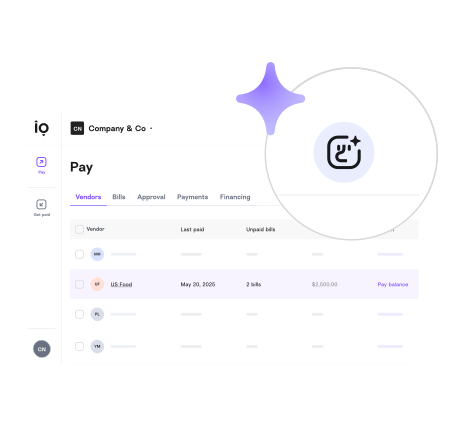
Handling bills and payments often comes with questions from your clients, vendors, or even your boss. Just ask Agent Mel, your built-in AI assistant and get answers.
Keep it all in sync
Melio connects seamlessly with QuickBooks2, Xero, and NetSuite keeping your books synced and easy to manage without the manual reconciliation.
Bill pay features that power AP automation

Automatic bill capture
Upload bills with automated OCR scanning or by simply emailing them to your dedicated address.

Payment flexibility
Choose to pay by card, ACH, instant transfers, paper checks, and more. You pay your way while your vendors get paid their way.

International payments
Pay global vendors in USD or local currencies at competitive exchange rates. Payments can arrive as soon as the same day.

W-9 & 1099 management
Easily request, collect, review, and edit contractor and vendor W-9s in one place. Then, sync with Tax1099 for seamless e-filing.3

Approval workflows
Set up multi-level approvals by team members, roles, payment amounts, and vendors to guarantee a fast and secure approval flow.

Bring in your team
Add team members with specific roles and permissions to maintain control. Viewers view, approvers approve, and admins oversee it all.

Meet Agent Mel
An AI assistant built to answer your questions about bills, vendors, and payments so you can spend more time on what matters.

Do more at once
Upload bills and add vendors with a CSV and request all of their W-9s in one go. Pay bills separately or in batch payments.
Why switch from bank bill pay to Melio?
Features
Traditional bank
Melio
Features
Pay vendors by credit card
No
Yes
Bill capture
Manual entry
Automatic
Approval workflows
Basic
Advanced
Accounting sync (QuickBooks, Xero, NetSuite)
Manual export
Automatic
International payments
Limited and expensive
Supported to 80+ countries
Vendor can get paid without an account
No
Yes
Recurring & batch payments
Yes
Yes
Manage your accounts payable from anywhere
Step away from your desk without stepping away from your business with Melio’s mobile app. Review, approve, pay, and manage all your payables and receivables, even when you’re on the move.



Antares Advisors
“With Melio, we now save three to four hours monthly on global payments over our original method via our bank.” Bob Hettel, Founder

QBench
“The return we get from Melio makes the cost an easy decision.” Trevor Ewen, Chief Operating Officer

Latitude Bookkeeping Services
“One of the biggest benefits in Melio is in simplifying the process of paying bills from beginning to end.” David Perry, Founder

1
/
3
Learn more about AP automation with Melio
AP automation (accounts payable automation) is software that handles the end-to-end process of receiving, approving, and paying business invoices—replacing manual data entry, paper chases, and spreadsheets with smart digital workflows.
Instead of your team spending hours keying in invoices and chasing down sign-offs, systems like Melio handle data capture, approval routing and payment processing for you.
The main benefits of accounts payable automation are time savings, fewer payment errors, better cash flow control, stronger vendor relationships, improved compliance, and scalability.
Time-saving: Automating tasks means fewer hours on data entry, approvals and chasing invoices.
Fewer mistakes: With less manual input, you reduce mis-entries, duplicate payments or missed bills.
Better cash flow control: Real-time visibility into what you owe (and when) enables smarter payment timing.
Stronger vendor relationships: Paying on time and being predictable helps build trust with suppliers.
Improved compliance & security: Digital trails, workflows and approval paths reduce risk of fraud or audit issues.
Scalability: Automated AP helps you manage more invoices as you grow without needing extra headcount.
The accounts payable workflow is the step-by-step process from receiving a bill to marking it paid. In most businesses, it typically goes something like this:
- Invoice receipt & capture (you get the bill, it’s logged)
- Verification & matching (check invoice against purchase order or delivery)
- Approval routing (sending to the right person for sign-off)
- Payment processing (issue the payment) & recording (update the ledger)
A well-designed workflow ensures you pay the right invoice, to the right vendor, at the right time—and have a clear record of it.
The best AP automation software should cover every step of the workflow, integrate with your accounting system, and be easy enough for your team to actually use. Here are some things to look for:
- Ease of use & adoption: If it’s too complicated, your team won’t use it.
- End-to-end coverage: It should cover all the steps in your workflow (invoice receipt, approval, payment, recording) rather than just one piece.
- Integration: Does it plug into your existing accounting/ERP system? Poor integration means extra work.
- Visibility & control: You want real-time dashboards, audit trails, and ability to manage cash flow from the platform.
- Scalability & cost: As your business grows your invoices will grow—make sure the software scales without huge jumps in cost.
- Vendor support / payments flexibility: Can you pay via different methods (ACH, card, etc)? Are vendors easy to onboard?
- Security & compliance: Make sure it meets the standards your business needs (data protection, audit-ready, etc).
Melio is built specifically for US businesses with end-to-end AP automation and flexible payment methods starting at no monthly cost.
Yes, you can use Melio to pay international vendors, contractors, and freelancers. Melio supports payments in either USD or select foreign currencies to vendors in eligible countries, and your vendors don’t need a Melio account to get paid. Eligible users can pay internationally with quick delivery times: USD payments arrive within 1–3 days, and foreign currency payments in up to 1 day with no extra fee. Delivery times may vary and are available for eligible users. Learn more here.
Melio offers a free plan with everything you need to pay and get paid including 5 free ACH transfers each month and the ability to pay by card even where cards aren’t accepted. The free plan also includes AI bill capture, a dedicated bills inbox, and international payment capabilities. Visit our pricing page to see the full breakdown.
Yes, Melio integrates directly with QuickBooks (Online and Desktop), Xero, and NetSuite. Payments sync automatically to your accounting software after each transaction, eliminating manual reconciliation and keeping your books up to date.
AP automation works well for businesses of almost any size, but it is especially valuable for small and mid-sized businesses outgrowing manual spreadsheets or paper-based bill pay. Melio is designed for US businesses that need a simple, affordable way to manage vendor payments, approvals, and accounting sync without enterprise-level complexity.
Most Melio users complete setup in under 15 minutes. You can sign up for free, connect your QuickBooks, Xero, or NetSuite account, and start adding bills immediately with no installation or IT support required. Your vendors do not need a Melio account to receive payment.

