

One Vendor, Multiple Bills? Pay Them All In One Go With Batch Payments!
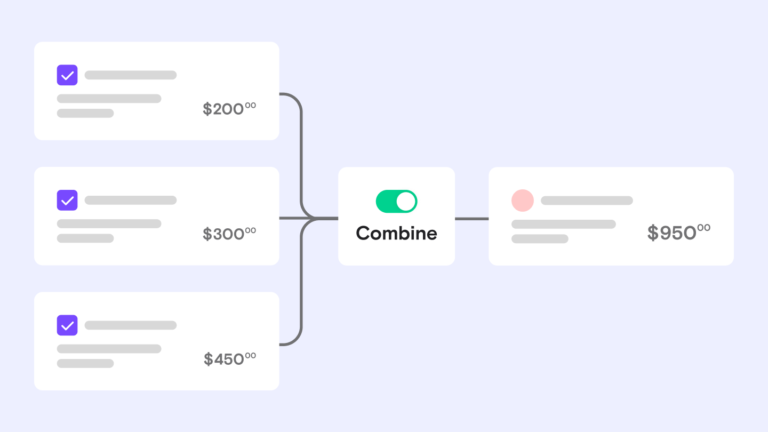
Combine multiple bills to the same vendor into one batch payment, and save time on every pay run.

Key takeaways
-
Combine multiple bills to the same vendor into one batch payment to save time.
-
Cut transaction fees by paying with ACH within your plan’s free monthly allotment.
-
Simplify reconciliation by sending your vendor one ACH transfer or check for the batch.
-
Turn on combined payments from the Schedule payments screen, where bills batch by default.
What are batch payments?
A batch payment is one transaction that pays several bills at once instead of sending each one separately. With Melio, you select unpaid bills going to a single vendor and pay them in one combined transaction. Your vendor gets one ACH transfer or one check, and it shows up as one transaction on your end too.
Why combine payments into one transaction?
Combining bills into a single payment keeps things simple for you and your vendor. Here’s what you gain:
-
Save time: Handle lots of small bills from the same vendor in one payment instead of many.
-
Cut fees: Save on transaction fees when there are any, like checks or fast checks. Melio’s free plan includes up to five free ACH bank transfers a month, with paid plans for higher volumes.
-
Simplify reconciliation: Fewer individual payments for your vendor to track and reconcile.
How to combine payments with Melio
Combining bills takes just a few steps:
-
Open the Schedule payments screen.
-
Check the boxes next to the unpaid bills from the same vendor.
-
Confirm the combined payment. Unpaid bills are combined by default, and you can change this from the Schedule payments screen.
For the full walkthrough, see our help center article.
When you pay multiple bills on QuickBooks Online, Melio combines them into a single payment, and the status syncs back to your accounting software.
Get started with batch payments
Batch payments turn a stack of vendor bills into one simple transaction. Sign up for Melio to combine your bills and get them scheduled in a few clicks.
Batch payments FAQs
What is a batch payment?
A batch payment is one transaction that pays several bills at once. Instead of sending each bill separately, you group them and pay them together.
How does a batch payment work?
You select the unpaid bills going to the same vendor, then confirm them as one combined payment. Your vendor receives a single ACH transfer or check.
What is the difference between batch payments and bulk payments?
People often use the terms to mean the same thing: paying several bills in one action. With Melio, bills to the same vendor combine into one transaction the vendor receives together.
Can you give an example of a batch payment?
Say you owe one supplier for three separate invoices this month. You select all three unpaid bills and pay them as one combined transaction.
*This blog post is intended for informational purposes only and is not intended as financial advice.
**Melio does not provide legal, tax or accounting advice, and you should consult with a professional advisor before making any financial decisions.

Early Payment Discounts Explained: How They Work And When To Use Them
Discover how early payment discounts can lower your costs and boost cash flow when you pay invoices ahead of time.

How To Build and Grow A Virtual Accounting Firm
Learn how to build a virtual accounting firm that thrives, keeps clients happy, and gives you room to grow.

How to Pay International Vendors in Local Currency: A Guide for Growing Businesses
Learn how to pay international vendors in local currency, cut hidden fees, and pay faster.

