

Benefits of Integrating Your Accounting Software with Melio
Discover how accounting software integration syncs your bills and payments, saving time and cutting costly errors.

Key takeaways
- Connect your accounting software to Melio to sync bills and payments automatically and cut manual data entry.
- Save time and reduce reconciliation errors by keeping your books and payments in one connected workflow.
- Choose from Xero, NetSuite, QuickBooks Online, and QuickBooks Desktop, with QuickBooks Desktop and NetSuite on higher-tier plans.
- Use the 2-way sync so your accounts payable and receivable stay updated in QuickBooks Online.
What is accounting software integration?
Accounting software integration connects your accounting software to another tool so data flows between them automatically. Accounting software itself records and reports your business’s financial transactions. Most tools, like QuickBooks, automatically enter, store, and analyze that data, which makes closing the books easier.
Accounting software also offers tools like invoicing, payroll, and financial reporting. Before it existed, these tasks had to be done manually, were prone to error, and took a large chunk of a business’s resources.
Types of accounting software
Accounting software can be online (cloud-based) or downloaded and stored on your computer. Online accounting software keeps all of your information securely in the cloud. Because it’s all online, you can access your information from anywhere, even from your smartphone. Desktop accounting software, on the other hand, needs you to download and store the software on your computer.
Benefits of integrating your accounting software
If you pay bills through one system, like your bank account, and then update the info in another, like QuickBooks, there’s more room for error. Say you have a restaurant and need to pay your wine supplier with a check. You write the check and mail it. Then you have to update your accounting software with the invoice amount, date, and vendor details.
Thankfully, just like we don’t use fax machines anymore, we don’t need to update our bill pay and accounting software separately. Now you can schedule and make a payment to your vendor using Melio. Melio sends a check or bank transfer to your vendor on your behalf and then syncs the details with your accounting software.
Integrating a payment tool like Melio with your accounting software helps you:
- Cut manual errors: payment details sync automatically, so you don’t retype them.
- Save time: no more updating two systems for one payment.
- Stay in control: your books reflect what you’ve paid and received in near real time.
Tools that sync work better together
Accounting software integration links your accounting tool with other systems, like a bill pay solution, so payments and records stay in sync. That means you can keep using the accounting software you love while connecting it to a payment tool like Melio.
Integrate your accounting software with Melio
So what’s the right accounting software for your business? Luckily, Melio integrates with all the leading accounting software. So no matter which one you’re using, it’ll most likely integrate with Melio.
Connecting your accounting software to Melio takes just a few steps:
- Sign in to your Melio account.
- Open the integrations or settings area.
- Select your accounting software and authorize the connection.
Once connected, your bills and payments sync automatically.
2-way sync
Melio’s integration with QuickBooks Online allows a 2-way sync for your accounts payable and receivable. Accounts payable, meaning bills to pay, go through a two-way sync. Say you own a coffee shop and pay your coffee roaster via Melio. Your QuickBooks Online account updates with the payment details once you complete a bill payment.
In other words, all of your unpaid payments and vendor details from QuickBooks Online sync to Melio automatically. In turn, your vendor details and all of your unpaid, scheduled, and paid bills from Melio sync to QuickBooks Online. The bonus? You never enter the same bill information twice, you eliminate manual errors, and payments balance automatically. That saves you tons of time. QuickBooks Online also syncs with your accounts receivable, but more on that below.
Accounts receivable sync
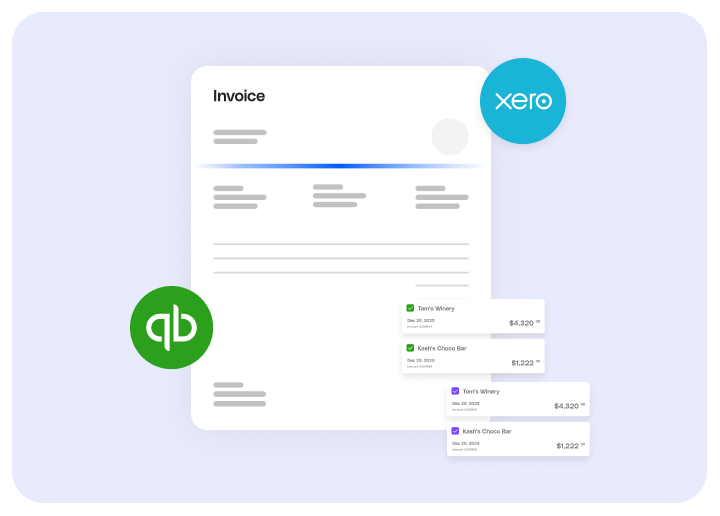
When it comes to accounts receivable, meaning incoming payments, Melio integrates with QuickBooks Desktop, Xero, and QuickBooks Online. Invoices created in the accounting software then sync to Melio. Once they’re paid in full via a payment request, they sync back to the accounting software and are marked as paid in both accounts.
Send a customer an invoice through QuickBooks Online, and it’s marked as paid in both places once payment is made. This really comes in handy when it’s time to reconcile your incoming payments at the end of the month or quarter.
Melio automates and manages your payments. Connecting it to your accounting software gives you deeper insight into cash flow, so you can make smarter decisions.
Accounting software that integrates with Melio
Melio integrates with four leading accounting platforms:
- Xero
- NetSuite
- QuickBooks Online
- QuickBooks Desktop
QuickBooks Desktop and NetSuite are available on higher-tier plans. No matter which tool you use, connecting it to Melio keeps your bills and payments in sync. Ready to get started? Sign up for Melio.
Accounting software integration FAQs
What is integrated accounting software?
Integrated accounting software connects your accounting tool to other systems, like a bill pay platform. Financial data then moves between them automatically instead of by manual entry.
What are accounting integrations?
Accounting integrations are connections that let your accounting software share data with other tools you use. They keep your records and payments in sync.
Which accounting software integrates with Melio?
Melio integrates with Xero, NetSuite, QuickBooks Online, and QuickBooks Desktop. That way you can sync your bills and payments with the tool you already use.
*This blog post is intended for informational purposes only and is not intended as financial advice.
**Melio does not provide legal, tax or accounting advice, and you should consult with a professional advisor before making any financial decisions.

How to Pay Vendors by Check Online Without the Busywork
Free your clients from check busywork by paying vendors online while Melio mails the paper check.

How to Pay Vendors Without Mail Delays
Give your vendors faster, safer payments this holiday season by switching from mailed checks to ACH.

Current Ratio: What It Is, How to Calculate It, and Why SMBs Should Care
Learn what the current ratio is, how to calculate it, and what a healthy number looks like.
